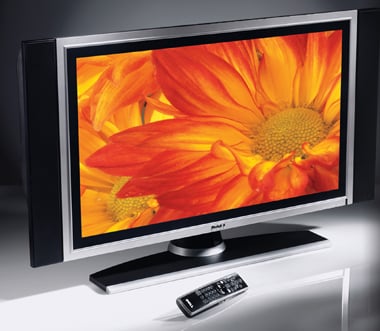
Purchasing a home theater system, for watching movies, can be an impeccable experience, if you choose your combination well. A home theater basically comprises of a DVD player, a display panel, and a speaker set. These days, with HD in picture, there’s an utter chaos in the market, with companies offering various combinations, claiming to provide a breathtaking, experience. The consumers don’t know what to buy actually, and they end up buying the products not suitable for their needs. A home theater complements to your personality, gives an insight of what you are, with sleek cuts, or with bold designs. So its always recommended that you DO NOT compromise on the looks. The guide to choosing a decent home theater system will be dealt in steps; we start off with the DVD player configurations first.
Confused, about the various offers available in the market for your lappy? The guide to a perfect laptop doesn’t exist, if one does not know what all he needs to extract out of it. The world is progressing, and so is the IT industry, bringing out new inventions has become the order of the day, and hence this leads to confused consumers. Buying a laptop isn’t the same as buying a new desktop pc, so it’s highly recommended that you take a quick glance…
There are 3 types of lappy’s available in the market today, namely, a notebook, a laptop, and a desktop replacement. So the choice should be yours, as to which one do you choose for yourself.
A camera can be just a photo capturing device, just another addition to the whole lot of gadgets to a rich kid, or even another insane creation by humans. But actually its more to the little smart masterpiece. Today a layman can say all cameras’ have the same features, why should I bother on this one dude? You think that all cameras offer you all the features, yet keeping your device cheap and that too future proof? With Sony, Canon, Olympus, Nikon, Samsung, Kodak, Polaroid, running through the cut throat competition, it’s actually tough to pick the best one out of them. The giant manufacturers are trying their best to package all sorts of features into as little space, as well as budget that it has led to a revolution, opening up new vistas for beginners to photography, and easing and even more beautifying the procedure of capturing a breath taking snap!
LCD’s, plasma’s and led tv’s , although look very similar, the difference lies in the technology used to bring out the images onto the screen. An LCD panel, uses liquid crystals spread all over between two thin sheets of transparent electrodes. When electricity passes through them, the minute liquid crystals rearrange themselves to form shapes, and the fluorescent lamp lights up the crystals to form the image. In an LED panel, there are liquid crystals too, but in place of the fluorescent lamp, millions of tiny LED’s are used, placed behind the electrodes. This way an LED TV is much more thin and compact than a regular LCD panel. A plasma panel is made up of hundreds of thousands of little pixels, each capable of producing red, blue and green colors. It consists of two air tight panels, which have XEON or NEON gas trapped inside. When electrical impulses are passed through the gas, the electrons get excited, and start emitting light, which eventually is caught by the millions of pixels, in the panel.
Contrast ratio
This is one of the most concerning factor that should be kept in mind by the buyer, before purchasing any of the three panels. The contrast ratio determines that how well a panel can reproduce the blacks and whites of the image, without losing out on the details. A panel having a lower contrast ratio will show the dark scenes of “BATMAN: THE DARK KNIGHT” as grey and still losing out on the brighter scenes. Today many companies are offering contrast ratio of 100000:1 which quite good enough for domestic viewing.
In an LCD panel, while producing a dark image, the pixels may rearrange themselves to form a dark area, but the light source, the fluorescent lamp, still emits some light and some of it is reflected to the viewer, giving out grey, in place of a black. Now, since a plasma panel consists of a gas, to produce a dark image, the light emission can be turned off completely, by varying the electrical impulses passed onto the gas. Also since the gas itself is the light emitting source, deeper blacks can be generated. Likewise, in an LED panel, the LED’s can be turned off to give out greater contrast ratios, but not as much as the plasma panels.
In short, LCD’s have poor contrast ratios, as compared to LED’s and Plasma panels. Though plasma producing the greatest contrasts out of the lot!
Angle viewing
Ever seen the screen of a cell phone or a laptop screen to go blur, and losing out on the brightness and colors of the image? Its because of the panels used, so its better to purchase a panel, that has maximum viewing angle, providing you ease and comfort. A CRT monitor has 180 degrees of viewing angle, but an LCD has very less, because of the centralized lighting used. LED’s also have greater angles, but nothing as compared to a plasma panel. Though the manufacturers boast of providing you, 180 degrees of viewing angle in LCD’s and LED’s, the truth may always be heart breaking. It’s always better to go to a showroom and compare the screens physically.
Color
The panels available today give you enough options to change the color schemes of the panel, which suits you. This factor doesn’t account much, but still for the heck of knowledge, plasma panels are naturally more inclined to producing more colors than its fellow competitors
Motion
By motion we mean, that how quickly a panel can refresh its image in a minute. A panel offering you more refresh rate say 200 times a second or 200Hz is definitely going to give out clearer and smoother images, than with a panel say 50Hz, which would give out a jittery action sequence. The LCD panels were considered to be lagging way behind in this field in comparison to plasmas, but not today. LCD manufacturers have rolled out LCD’s boasting of refresh rates upto 220Hz, but this kind of speed is unfortunately not available in all of their variants. LCD’s and LED’s both being similar in technology can produce pictures LIKE plasma, but not exactly like it.
Power
since LCD’s have a single fluorescent lamp installed in it, the power consumption of an LCD, is lesser than that of an LED tv, which requires all of the millions of LED’s to light up. Talking about plasma, for getting the inert gases to emit light and activating the plasma captured inside, uses up more power than any of its counter parts. An average LCD panel takes about 200W whereas an LED takes about 300W. LCD’s clearly winning over this one.
TV screen life
In the past plasmas faced a smaller life span before they lost a significant amount of brightness and quality of image reproduction. This pull down of the plasmas has been corrected by today’s manufacturers, giving out a life span of roughly about 60000 hours. The LCD’s too have lifespan of around 60000hours, whereas the new competitor, the LED, offers about, 100000 hours of lifespan. Please also note that, the lifespan refers to the half life of the screen. The panel will keep on reproducing images till its half life, after which the image quality and brightness is significantly lost, but the screen still reproduces images.
Pricing
LCD’s clearly win this round away, in all possible screen sizes compared to LED’s and Plasma’s. One can easily get a 37” LCD for under 900$. Smaller screens do lose out on the contrast ratios and motion losses a bit, but that can be very quietly neglected. LED’s approximately are 20%more expensive than their fellow LCD’s, delivering out the quality in smaller panels too. The size variation is less in LED panels. The plasma panels are also expensive than LCD’s but if you’re planning to buy a plasma screen of over, 42”, the price increases exponentially, burning a hole straight away in your pocket.
You have all the exhaustive research done by our team, and we don’t think that it may be required of you, to consider any other guide book! All the best!!!
The following hierarchy, enlists the various softwares that are, in each capable of transforming the look and feel of your windows xp to windows vista or other operating systems. Just install them using the regular setup installation technique
1)Vista Inspirat 2
This is by far the best transformation pack I have ever seen. A very beautiful make, makes it very hard for people to differentiate between a transformation pack and the original vista. It adds different sounds, and installs, “yz shadow”, “uber icon”, and a very cool “rocket dock”. Created by crystalxp.net
Want to upgrade to windows 7, but want the stability of windows XP at the same time? Here’s a solution, try out the skin packs that will transform the look and feel of our very own Windows XP. Haven’t tried all of them but I guess they’re pretty good.
1) 7transformation pack
My personal favorite, have had this since many months. Earlier versions made my xp crash in almost every 10 days, so I uninstalled it. The work was so great that I got ready to install the newer versions, knowing the risk involved, but to my surprise, nothing crashed, and my pc looks even better than vista, WINDOWS & it’s called!